
COMPATIBLE DEVICES
A little LiDAR.
A lot of possibility.
Floorbird turns your room into a 3D model using the LiDAR Scanner on supported iPhone Pro and Pro Max models running iOS 26 or later.
Find your model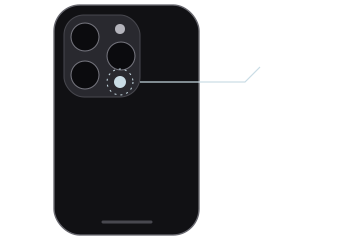
Made for
these models.
Room capture requires LiDAR and iOS 26 or later. The current app is for iPhone; iPad support is not currently offered. Check the App Store listing for release availability.
- LiDAR
iPhone Pro & Pro Max
iPhone 12 Pro and later Pro and Pro Max models
No LiDAR? Still curious.
Standard iPhones, iPad, iPad Air, iPad mini and older Pro models without LiDAR cannot capture a room scan.
If your device can install the app, you can still explore a sample. Check the App Store listing for availability.
Explore Floorbird on iOSNot sure which device you have?
Open Settings → General → About.
Look for Model Name, then match it to the list above.
Example device name · Settings on iOS
Still need a hand?
Meet your space.
All over again.
Scan, inspect, and take your room into your next design.

For iPhone
· iOS 26+ · LiDAR required to scan